
Guide to accessing the subtitles
iLactation is very pleased to offer subtitles (closed captions or CC) for our conferences in 45 languages! Follow our guide below to access the subtitles.
The languages currently available are as follows:
Bulgarian
Croatian
Czech
Danish
Dutch
English
Estonian
Finnish
French
German
Greek
Hungarian
Irish
Italian
Latvian
Croatian
Czech
Danish
Dutch
English
Estonian
Finnish
French
German
Greek
Hungarian
Irish
Italian
Latvian
Български
Hrvatski
Čeština
Dansk
Nederlands
English
Eesti
Suomi
Français
Deutsch
Ελληνικά
Magyar
Gaeilge
Italiano
Latviešu
Hrvatski
Čeština
Dansk
Nederlands
English
Eesti
Suomi
Français
Deutsch
Ελληνικά
Magyar
Gaeilge
Italiano
Latviešu
Lithuanian
Maltese
Norwegian
Polish
Portuguese
Romanian
Russian
Slovak
Slovenian
Spanish
Swedish
Turkish
Arabic
Hebrew
Swahili
Maltese
Norwegian
Polish
Portuguese
Romanian
Russian
Slovak
Slovenian
Spanish
Swedish
Turkish
Arabic
Hebrew
Swahili
Lietuvių
Malti
Norsk
Polski
Português
Română
Русский
Slovenčina
Slovenščina
Español
Svenska
Türkçe
العربية
עברית
Kiswahili
Malti
Norsk
Polski
Português
Română
Русский
Slovenčina
Slovenščina
Español
Svenska
Türkçe
العربية
עברית
Kiswahili
Chinese (Simplified)
Chinese (Traditional)
Indonesian
Japanese
Khmer
Korean
Malay
Thai
Vietnamese
Bengali
Hindi
Marathi
Tamil
Telugu
Urdu
Chinese (Traditional)
Indonesian
Japanese
Khmer
Korean
Malay
Thai
Vietnamese
Bengali
Hindi
Marathi
Tamil
Telugu
Urdu
简体中文
繁體中文
Bahasa Indonesia
日本語
ខ្មែរ
한국어
Bahasa Melayu
ไทย
Tiếng Việt
বাংলা
हिन्दी
मराठी
தமிழ்
తెలుగు
اردو
繁體中文
Bahasa Indonesia
日本語
ខ្មែរ
한국어
Bahasa Melayu
ไทย
Tiếng Việt
বাংলা
हिन्दी
मराठी
தமிழ்
తెలుగు
اردو
Be sure to let your colleagues know that subtitles/closed captions are available. iLactation makes excellent breastfeeding education more accessible for breastfeeding supporters and lactation care providers across the globe by offering these languages. If you find that your language is not listed and you would like us to offer translation into your language please let us know!
Note: Our captions are computer generated. If you notice an error, you can let us know.
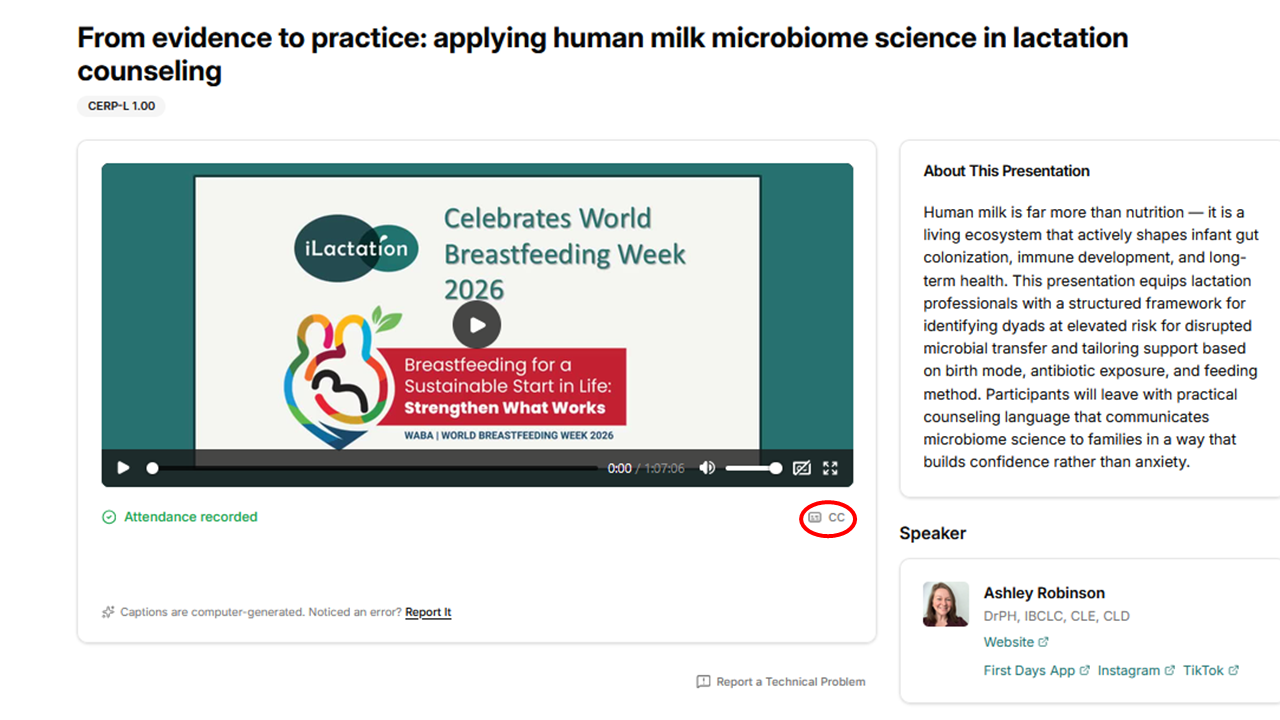
1. Select the “CC” option at the bottom right of the video, indicated by the red circle in the image.
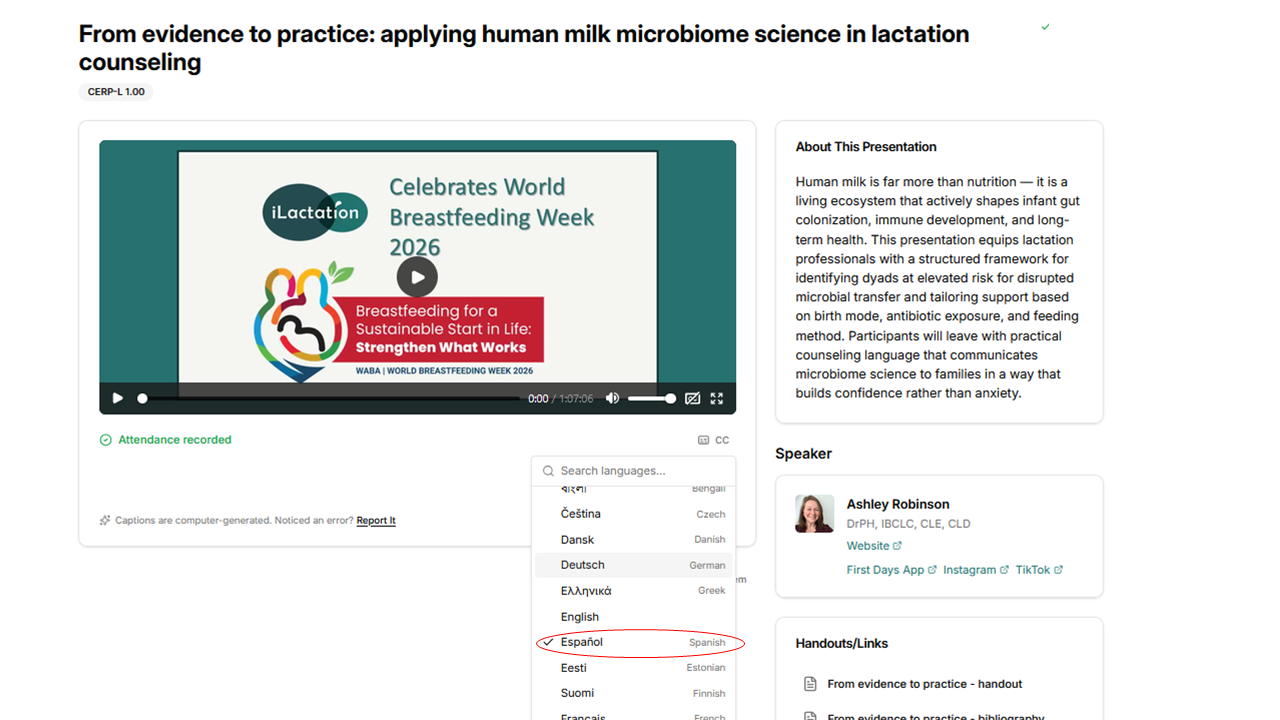
2. The list of available languages will open. Select your preferred language.
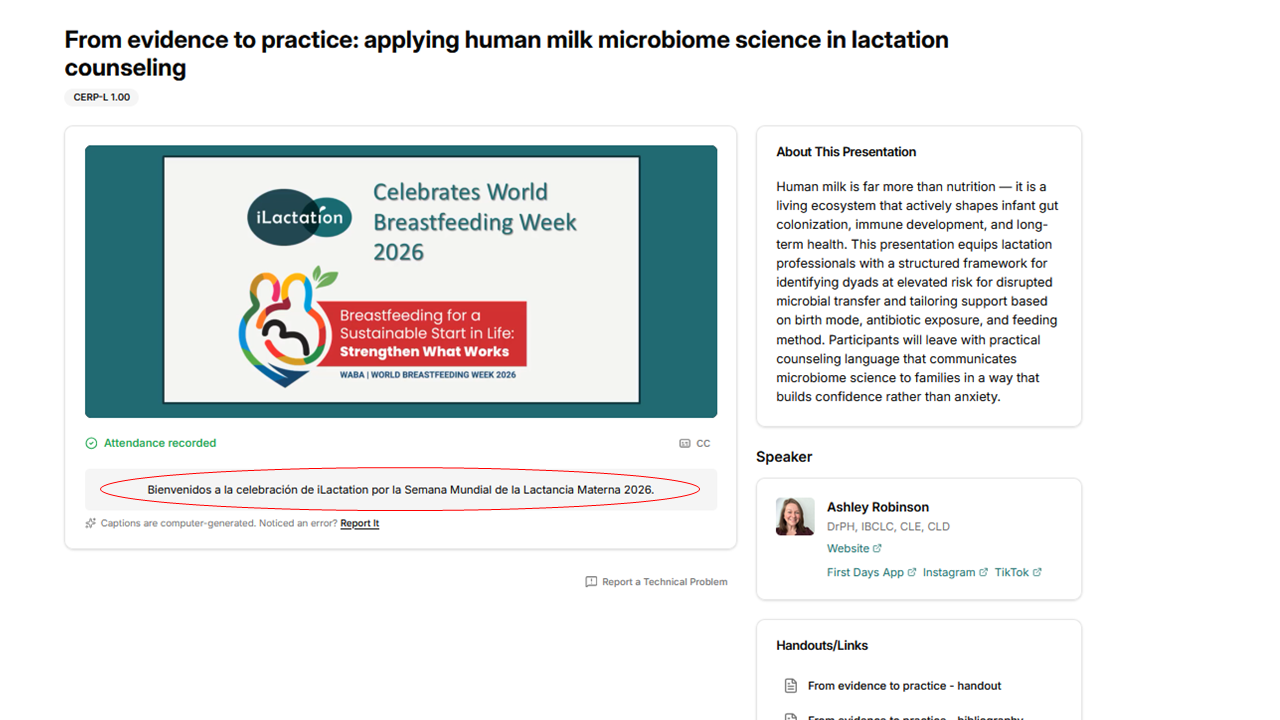
3. Once the language has been selected, under the video you will see the text “Welcome to the iLactation celebration for World Breastfeeding Week 2026,” or an equivalent message in your chosen language, as shown in the image.
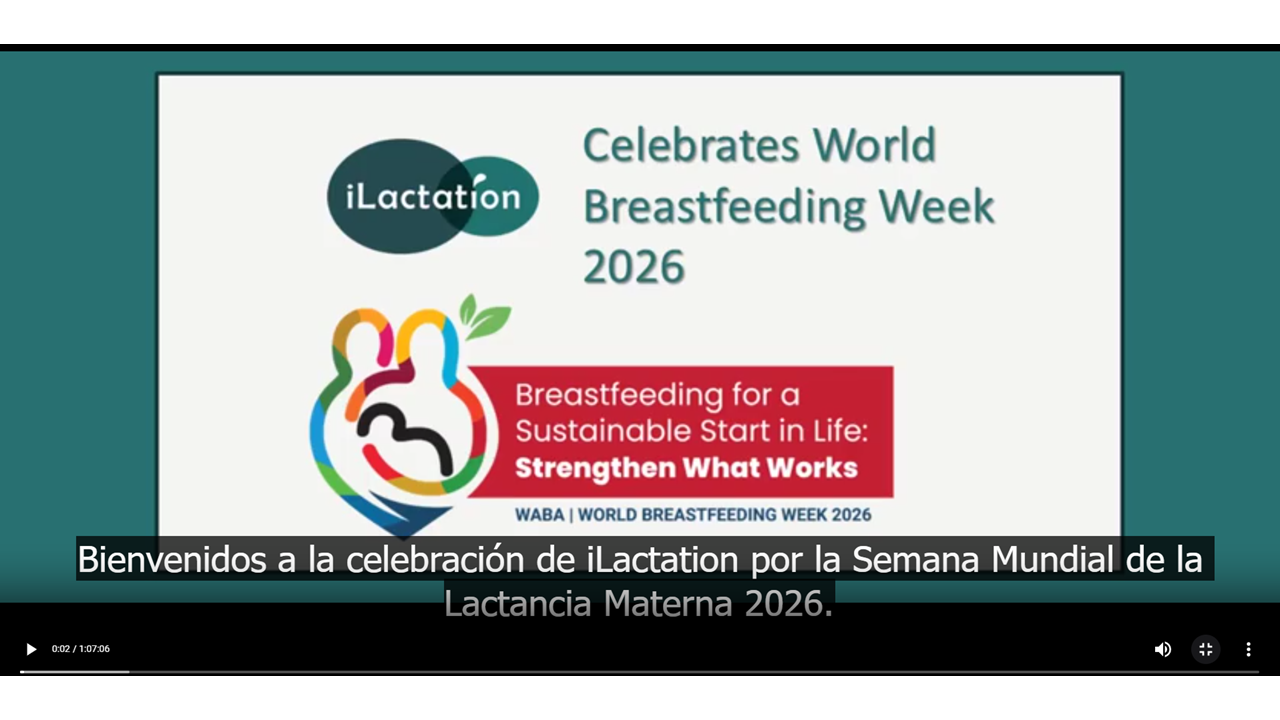
4. Once the video starts, you will be able to read the simultaneous translation of our speaker. If you watch the video in full screen, the captions will show at the bottom of the video, as in this image.
